MemeAI Canvasthe infinite canvas for AI creation
Generate, edit and reference — all on one infinite canvas. Get up to 5 variants per prompt, then draw arrows on any image to let AI edit it precisely. No more starting from scratch.
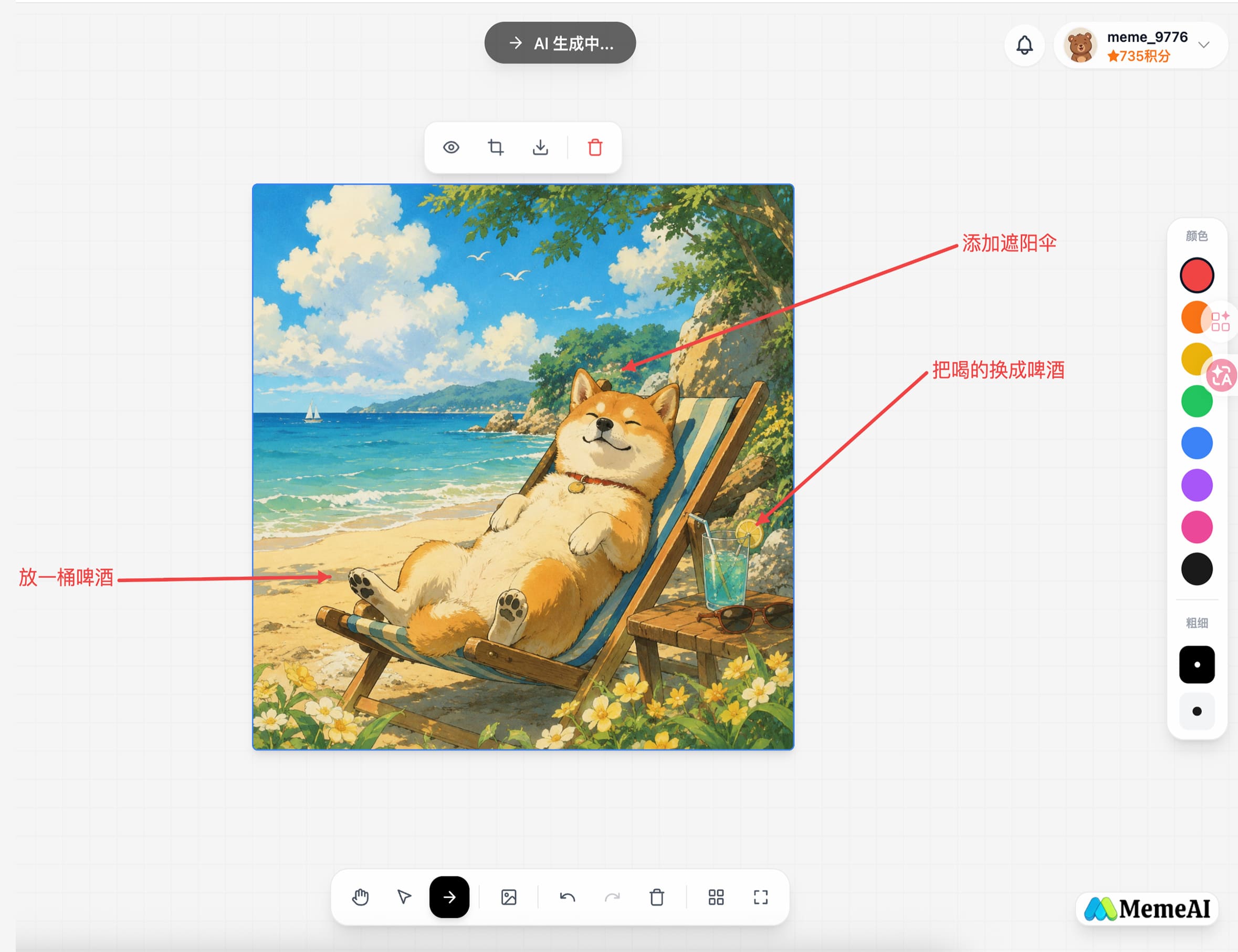
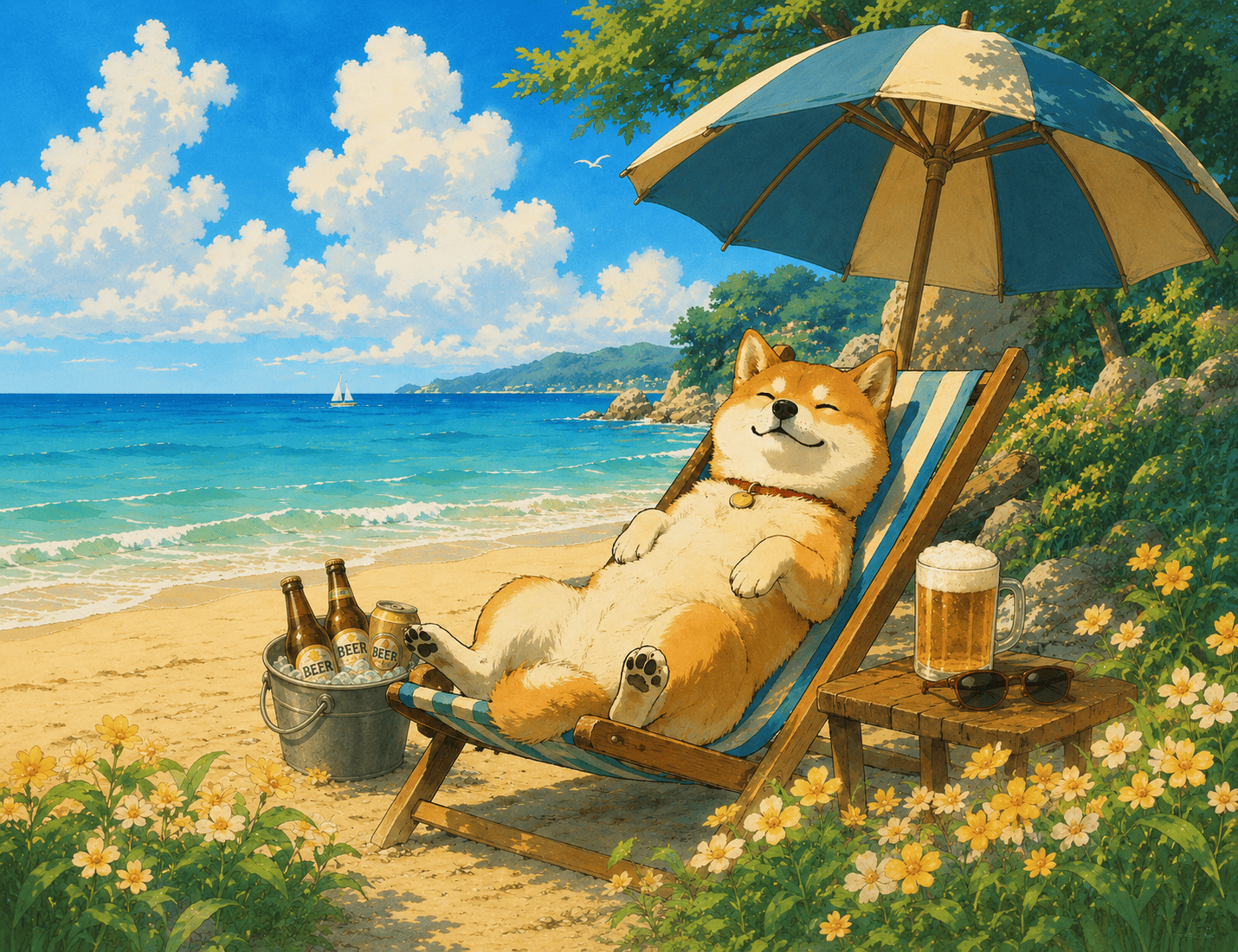
A what-you-see-is-what-you-get creative space
Generate from the chat panel, pick any image on the canvas, draw arrows and add text — AI edits exactly where you mark.
Not just generation — organize your creative process
The infinite canvas changes the AI image workflow. Each feature below targets a real pain point in creative work.
One prompt, multiple variants
Up to 5 variants per run go into a selection panel for side-by-side comparison; pick the ones you want and drop them onto the canvas. Single image works too — your choice.
A truly infinite canvas
Drag, zoom and pan with no boundaries. Lay out multiple results spatially, with smart alignment guides and one-click auto-arrange to keep your creative flow visible.
Reference fusion
Upload up to 5 reference images and AI understands composition, tone and style — generated images stay visually consistent.
Annotation-based AI editing
Pick any image on the canvas, draw arrows, circle areas, or write notes — AI edits exactly where you marked, instead of rolling the dice on another fresh generation.
Built-in style templates
One-click apply portraits, illustration, pixel, 3D and more styles to generate different art looks without endless prompt tuning.
HD download
Select any node and download PNG in one click. When annotations exist, arrows and text are baked into the image — WYSIWYG.
A paradigm shift
Traditional way
- Constant switching between tools and windows
- Each revision needs a new prompt — relying on luck
- References, prompts and results scattered everywhere
- Final outputs spread out and hard to compare
- Undo and redo rely on memory
MemeAI Canvas
- All your work lives on one canvas
- Draw arrows on the image, AI edits exactly there
- Chat, canvas and tools integrated in one space
- Multiple variants side by side, compare and pick
- Every annotation step is undo/redo-able
How creators use it
One tool, different creative workflows.
Designers · Mood Board
Describe the mood, palette and style in plain words. AI returns visual references; drag and arrange them into a mood board so clients instantly grasp your direction.
Content Creators · Asset Production
Generate 5 variants per run, pick the best, mark unsatisfactory areas with arrows for AI to refine. Build your asset library on a single canvas.
Product Teams · Visual Iteration
Upload references for direction, generate variants and arrange them on the canvas. For micro-adjustments, just draw arrows on the existing image — edit precisely instead of regenerating from scratch.
Spread your ideas on an infinite canvas
Start MemeAI Canvas now and experience truly free AI creation.